How do I delete an Affiliate from my SUPPRESS Account?
Overview
This article will show you how to delete an Affiliate from your SUPPRESS account.
Steps
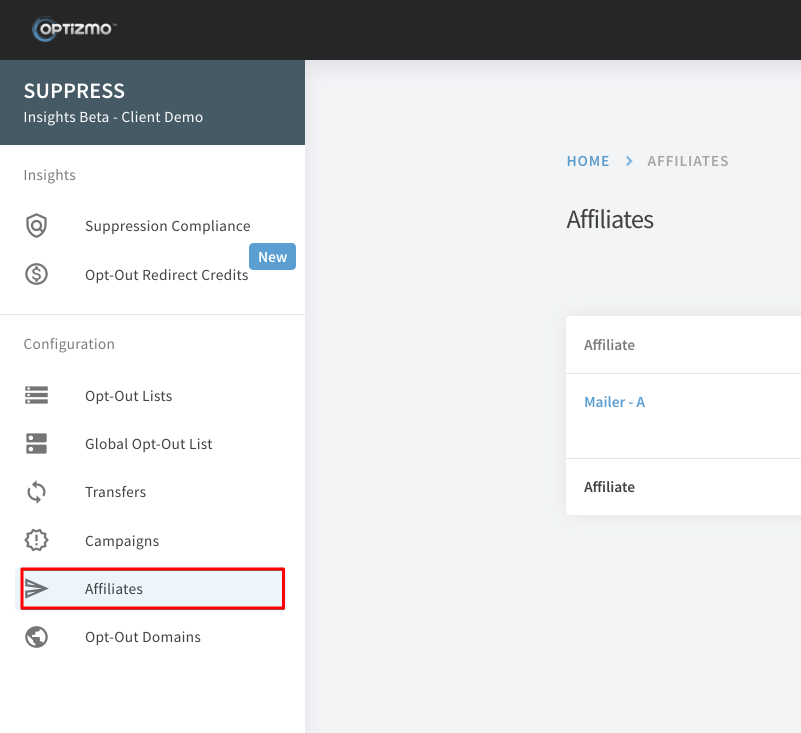
1) Hover your cursor over the Affiliates option under the Configuration menu and select Affiliates.
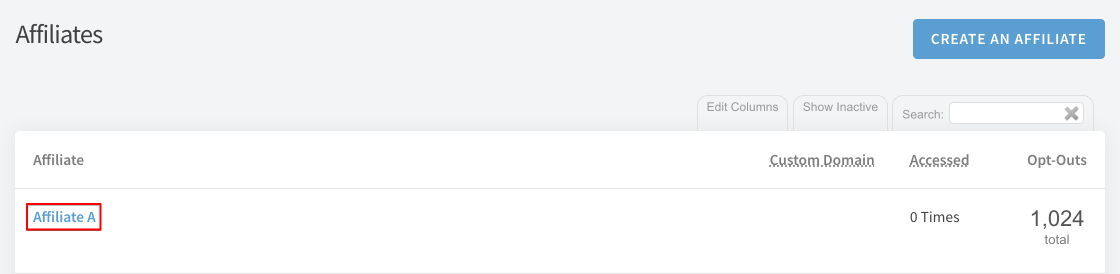
2) Next, click the name of the Affiliate you would like to delete.
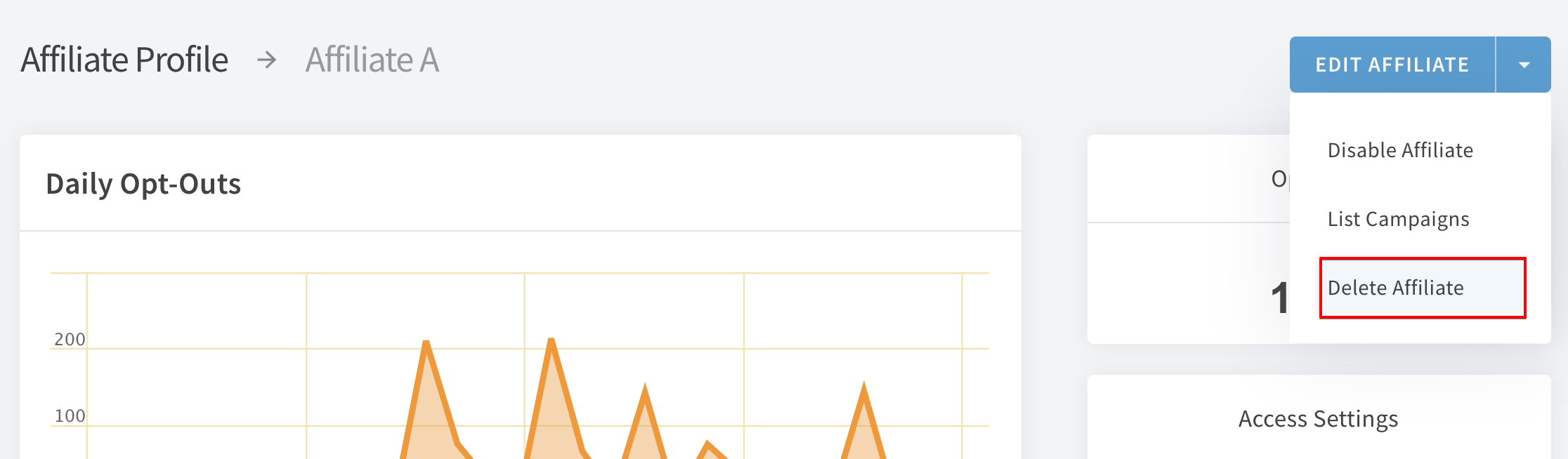
3) From the Affiliate Profile page, use the drop-down next to Edit Affiliate and select Delete Affiliate, then enter YES in the confirmation prompt.
*Please note the following...
- The deletion is queued for 30 days before becoming permanent, however, Affiliate access keys will cease working immediately.
- If you need to undelete an Affiliate, please contact support at: support@optizmo.com
- Opt-Out Links will continue to function for this affiliate during the 30 day queue period.
If you have further questions, please contact us: support@optizmo.com